To learn how to change the garage door opener code, first check the opener’s manual for its exact steps. The method can differ by brand and model. You may need to set a new keypad PIN, clear old remote codes, or do both. Test the door only when its path is clear.
A keypad or remote can make it easy to enter your garage, but an old code may no longer be private. Check the instructions, update only the access you need to change, and test the door from a safe place. Homeowners in Jamestown can use these general tips while following the manual for their own opener. These steps apply to homeowners across Jamestown.
Table of Contents
- When should you change your garage door opener code?
- What should you check before changing the code?
- How do you change the code on a garage door keypad?
- How do you change the code on a garage door opener?
- What should you do if the new code does not work?
- How can you keep children and pets safe around the keypad?
- How can you maintain secure, reliable garage door access?
When should you change your garage door opener code?
Change a keypad PIN or opener code when someone who knew it should no longer enter. This may happen after moving, a change in your household, or a lost remote. A new code may also help if too many people know the old one or it is easy to guess.
Situations that call for a code change
A garage door keypad PIN is the number entered to open the door. Treat it like a house key: share it only with people who need access. Change it when that need changes. If a remote goes missing, changing the keypad PIN may not be enough. The lost remote may still work until you remove it from the opener’s memory.
You may also want to change a code after sharing a short-term PIN with a worker or guest. For a business, the person in charge can review which staff still need access and follow the company’s rules. Jamestown Garage Door Repair can help property owners understand keypad or opener issues when the controls do not work as expected.
How rolling codes differ from fixed codes
A rolling code changes the signal a remote sends each time someone uses it. This helps stop a copied signal from being used again. A fixed code stays the same until someone changes it. The opener’s age and model tell you which kind it uses, so check the manual.
Changing a keypad PIN may not remove paired remotes. Removing remotes may not change the keypad PIN. These are often separate settings. Before you begin, decide whether you need to change the PIN, remove old remotes, or do both. A code change works only when you update the access method that needs attention.
What should you check before changing the code?
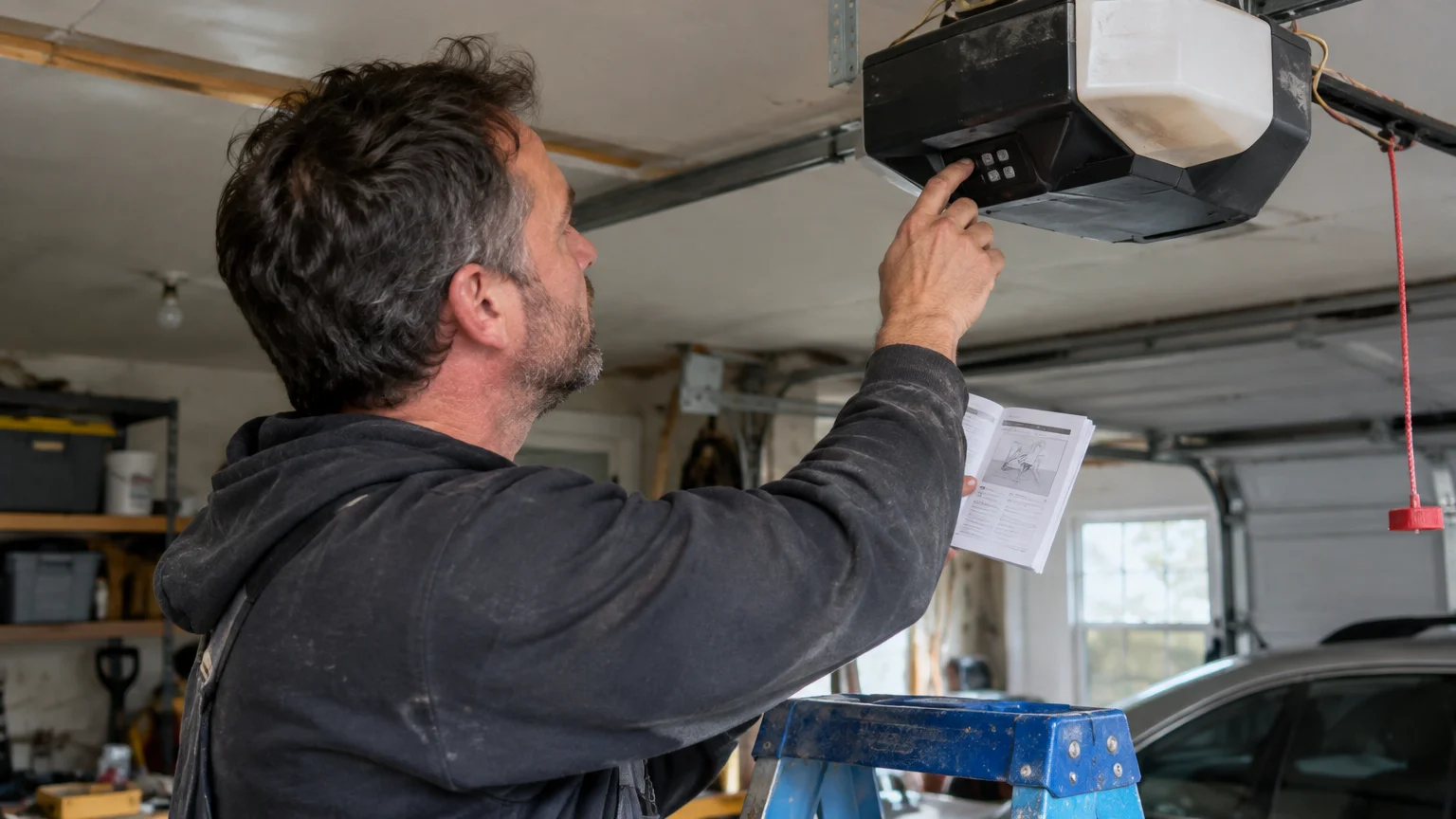
Find your opener’s model and read its manual before changing a code. Different brands use different buttons and timing, so one set of general steps may not work for every opener. Find the learn button only as the manual directs, and clear the door’s path before testing.
Identify the opener and learn button
The opener is the motor unit fixed above the garage door. Its label often shows the brand and model. The learn button pairs remotes or keypads with the opener. Its color and place can differ by model. Do not guess which button to press. A wrong step may remove working remotes or change a setting you meant to keep.
If the label is hard to read, look for the manual using the model name. It should explain how to enter programming mode and whether you can remove one remote or all paired devices. Keep the instructions nearby while you work. Do not touch wires or take off covers unless the manual says that it is safe.
Gather the manual and decide which devices to keep
Make a list of the remotes and keypads that should still work. Include household remotes, a wireless keypad, and any car controls paired with the opener. Your system may also have a wall control or smart-home device. The manual can tell you if these use the same memory or need separate setup.
Keep the door closed and people and pets away from its path. Keep the opener’s hand control close, but do not stand under the door while testing. If a remote is missing, plan to remove its access. Do not assume that a new keypad PIN will turn off the lost remote. If the opener is stuck or the door will not move, Garage Door Opener Repair may be needed before you try programming again.
How do you change the code on a garage door keypad?
Follow the opener manual’s exact steps to change a keypad code. Many systems use the learn button to connect the keypad, then ask you to enter a new PIN. Button order and timing can differ. Use the manual instead of relying on general steps.
Step 1: Enter programming mode with the learn button
Check that the door is closed and the area around it is clear. Find the learn button by using the manual, then follow the listed steps. Some openers stay in programming mode only for a short time. If that time passes, stop and begin again as the manual says. Do not press buttons at random.
Keep your hands away from moving parts, and do not stand beneath the door. The opener may move during pairing or testing. If the door starts moving when you do not expect it, stop using the keypad and follow the manual’s safety advice. You usually do not need a technician to follow clear, safe instructions. Stop if the controls or door act in a strange way.
Step 2: Set and test a new keypad PIN
Enter the new PIN as the manual says, then finish pairing the keypad. Pick a number that household members can remember but that visitors cannot guess easily. Do not use a date, street number, or simple repeated pattern. Keep the PIN out of sight from outside the garage.
Test the keypad from a safe place where you can see the door. Make sure the doorway is clear before pressing its button. Check that the door opens and closes as expected. If the keypad does not work, do not keep trying random codes. Check the manual, battery, and button timing first. Also make sure the safety sensors are clear and in place.
How do you change the code on a garage door opener?
To change remote access, check whether your opener can erase all paired remote codes or remove one device at a time. Some models clear stored remotes during a certain process. Other models use different controls. Follow the instructions for your model so you do not remove remotes you still need.
Step 1: Clear old remote codes when the model allows it
If a remote is lost or you need to reset access, the manual may explain how to clear stored remote codes. This may disconnect every remote, not just the missing one. Check what the process will erase before you start. Have working remotes ready to pair again if needed.
Do not open the motor housing or handle wires to change a code. Stop if the instructions are not clear, the learn button is damaged, or the opener moves without a command. A trained technician can check the controls and advise you. Electrical faults and door movement problems will not be fixed by trying code changes again and again.
Step 2: Reprogram the remotes and controls still in use
Pair each approved remote by following the manual, one device at a time. Test each one from a place where you can see the door. Keep everyone clear of its path during each test. If a car’s built-in control is paired with the opener, check the car owner’s instructions too.
A wall control may not use the same code system as a wireless remote, so it may stay connected after you erase remote codes. Smart-home controls may need their own setup as well. When the planned devices work, keep the manual somewhere easy to find and keep the PIN private. Jamestown Garage Door Repair can explain Garage Door Opener Repair options if the opener will not pair or respond.
What should you do if the new code does not work?
If the new code fails, check simple causes first. The keypad battery may be weak, the button steps may be wrong, or the programming time may have passed. Then check that the keypad and opener work together. Do not force the door or repeat steps that the manual does not support.
Check batteries, button timing, and programming steps
A keypad with a weak battery may light up but fail to send a clear signal. Replace the battery only as the keypad manual allows, then follow the pairing steps again. Check that you entered the PIN correctly and pressed each button at the right time, as shown in the opener manual.
Some keypads need to be paired again after the opener’s stored codes are erased. If the opener’s light does not act as the manual says, stop and check the model instructions. Do not guess at button combinations. Repeated attempts may remove other pairings or make it hard to know which devices can still open the door.
Resolve signal or compatibility problems safely
If the keypad works only when you stand close, check its battery, look for damage, and check for anything blocking the opener antenna. The manual may list keypad models that work with your opener. Older equipment may not support a newer keypad or remote, even if the buttons look alike.
Do not test a faulty system by pulling or forcing the door. A heavy, crooked, stuck, or off-track door may have a mechanical problem. Garage Door Off Track Repair is different from keypad setup and needs a trained technician. If the opener hums, reverses, or fails to move the door, a repair can help find the cause without putting you at risk.
How can you keep children and pets safe around the keypad?
Keep the keypad PIN private and place the keypad where young children cannot reach it. Teach children not to play with the controls. Keep people and pets away from a moving door. A keypad controls access; it does not replace the door’s safety features or adult care.
Store the PIN securely and prevent unintended operation
Share the PIN only with people who need regular access. If a child or visitor learns it, change the PIN and tell approved users privately. Do not write it on the keypad cover, a nearby wall, or anything easy to see through a window. For a rental home or business, follow the owner’s rules and update codes when approved users change.
Explain that the keypad is not a toy. The door should never open when someone is in its path. Keep remotes where young children cannot reach them. If children can easily press the keypad, consider a safer place for it that adults can still reach.
Keep children clear of moving parts and safety sensors
Garage door safety sensors are small devices near the floor. They help the opener sense an object in the door’s path. Keep the sensor lenses clear. Do not cover, move, or bypass them. Children and pets should stay away while the door opens or closes, even when the sensors seem to work.
Adults can check that nothing blocks the sensors and that the door responds as the manual says. Do not use a child, pet, or body part to test them. If the door does not stop or reverse as expected, stop using it and arrange a repair. Never rely on a keypad or remote as a safety device.
How can you maintain secure, reliable garage door access?
Review who has access, keep the opener instructions, and test the door’s safety features as the manual directs. Homeowners can do simple checks and cleaning themselves. Leave springs, lift cables, and other parts under tension to trained technicians. A safe door should respond to its controls without odd movement or noise.
Review access and test the door
Check which household members, workers, or tenants still need a remote or PIN. Remove access that is no longer needed, and store spare remotes safely. During routine checks, look for keypad damage, loose parts, blocked sensors, or a door that moves unevenly. You can wipe sensor lenses with a soft cloth if the manual allows it.
Garage door maintenance can include basic cleaning and visual checks. It does not mean adjusting springs, cables, or bottom brackets. These parts hold strong tension and can cause severe injury if handled the wrong way. If the door is unbalanced, makes a new grinding sound, or has a damaged cable, leave it in place and contact a trained technician.
Frequently Asked Questions
Does changing the keypad PIN erase remote controls?
Not always. A keypad PIN and remote controls may use separate settings, depending on the opener model. Read the manual before changing either one. If a remote is lost, check whether you can remove that device or must clear and pair all remotes again.
How often should a garage door code be changed?
There is no set schedule for every household. Change the PIN when someone who knew it should lose access or when it may have been shared too widely. Keep the code private, and use the opener manual to see how keypad and remote access work.
Can a homeowner change a garage door keypad code safely?
Usually, yes, if the keypad and opener work normally and the manual gives clear steps. Keep the door area clear, follow the instructions, and test from a safe place. Stop and seek help if the door moves without warning or the controls do not respond.
Why does the keypad light up but not open the door?
The light may work even when the battery is weak or the keypad has lost its pairing. Check the battery and manual, then confirm the PIN and button timing. If the opener still does not respond, the keypad may not work with that model, or the opener may need repair.
Should a lost remote be removed from the opener?
Yes, if someone could use the lost remote to enter the garage. Check the manual for how to remove paired remotes. Some models erase all remotes at once, so you may need to pair the approved ones again.
Key takeaways
- Follow the opener manual because steps differ by model.
- A keypad PIN and remote codes may need separate changes.
- Test the door with its path clear and everyone at a safe distance.
- Handle simple checks yourself, but leave springs and lift cables to trained technicians.
A secure garage needs private access codes, working controls, and a door that moves safely. If programming fails, a remote is missing, or the door shows damage, stop using controls that may be unsafe. For urgent opener or door concerns, Contact us at Jamestown Garage Door Repair.
If you are unsure what is wrong, it is safer to have the opener checked before the problem grows. Jamestown Garage Door Repair serves property owners.
If you are not sure what you are dealing with, it is worth having someone look at it before it turns into a bigger job. Get in touch with Jamestown Garage Door Repair today and we will tell you where you stand.